
Factory Reset for RangeCam Mini & Mini 5.8Updated 7 months ago
Several factors may prevent your camera from transmitting normally. A factory reset can eliminate many of these factors and should restore your camera to normal operation.
RangeCam Mini and Mini 5.8
Please note the below image. If your camera appearance does not match, please return to the Help Center and select the correct article for your camera.
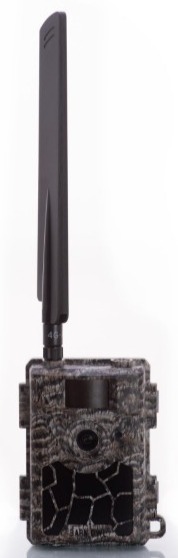
Factory Reset: Put the camera switch in the 'Setup' position and press the menu button while on the 'Searching..' screen. Navigate to the 'Other' tab, then scroll down to the 'Reset' option. Highlight 'Reset' and press OK, then confirm 'Yes'. The camera screen should read 'Completed', then restart.
Format SD Card: Put the camera switch in the 'Setup' position and press the Up Arrow button while on the 'Searching..' screen. Press the 'Menu' button to find the 'Format' option. Highlight 'Format' and press OK, then confirm 'Yes'. It should say 'Completed', then 'No File'.
Please note that Mini 5.8 model cameras utilize different steps to format the SD card. Place the camera switch in the "Setup" position and press the Up Arrow button while on the "Searching.." screen. Press the Down Arrow button and you should see a "Format" option. Highlight "Format" and press OK, then confirm "Yes", and it should say "Completed", then "No File".
Test Photo: Switch the camera to Setup Mode, wait for the 'Searching' message to disappear, press the 'OK' button to take a test photo, and then check your app to confirm receipt.