Password ResetsUpdated 2 months ago
Resetting your Barn Owl HQ login password is quick and can be completed in a few simple steps. Please note that this applies to Barn Owl HQ only and there is no method to reset the setup password on your camera.
Resetting your Barn Owl HQ Password
1. Navigate to Barn Owl HQ (https://app.barnowl.tech) and click "Forgot Password?" in the lower left corner of the login screen.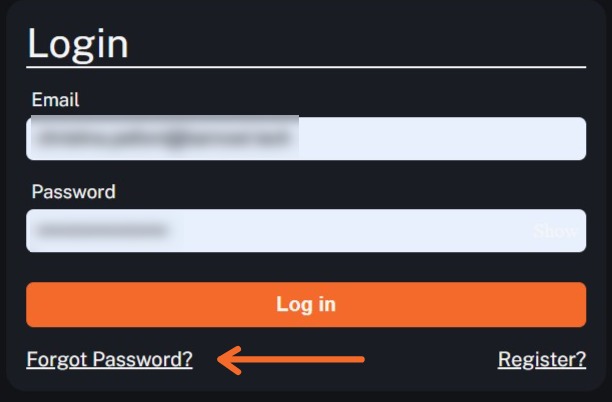
2. Enter the email address or phone number associated with your Barn Owl HQ account. Please note you only need to enter one piece of information, not both. Click Verify Identity once you have entered the email address or phone number. Please contact Customer Support at 720-594-3649 or [email protected] if your account cannot be located and you are certain the provided details are correct.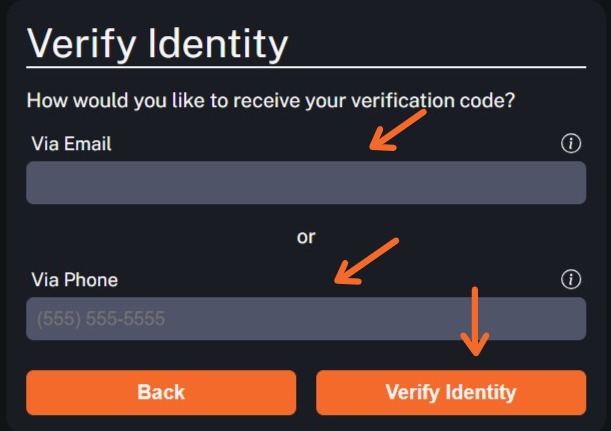
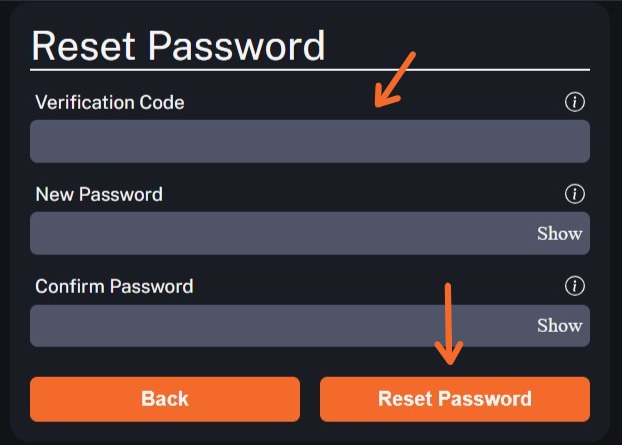
3. If your account has been identified, a verification code will be sent to the email address or phone number we have on file. This code should be entered into the Verification Code field on the new screen. Please enter your new password in both the New Password and Confirm password fields. You may click "Show" to verify that both passwords match, if desired. Click "Reset Password" to complete the new password selection.